Empowering Frontline Teams to Keep No-Code Logistics Dashboards Running


Today we focus on training non-technical staff to maintain no-code logistics dashboards with confidence, speed, and calm. From warehouse coordinators to dispatchers and planners, practical skills matter more than jargon. Expect real workflows, simple safety nets, and small wins building toward reliable visibility. Share your own experiences, ask questions, and subscribe for actionable playbooks, templates, and office-hour invitations that turn everyday users into trusted maintainers without pulling engineers off critical work.

Start with Clarity: What Non-Technical Maintainers Really Need

Sustainable maintenance begins with clear expectations, plain language, and a shared picture of success. Define responsibilities, guardrails, and the handful of actions your colleagues will perform repeatedly. Make every step observable and reversible. When people know the why, see the how, and trust the safety net beneath, they learn faster and maintain dashboards without fear, guesswork, or constant IT help.

From Spreadsheet Columns to Live Metrics

Bridge the familiar to the new by showing how a simple spreadsheet column—like promised delivery date—becomes a calculated on-time performance tile. Walk through transformations step-by-step, using color-coded examples and tooltips. Emphasize naming consistency and describe how small schema shifts affect downstream visuals. Repetition and relatable examples convert mystery into routine, helping maintainers diagnose discrepancies with confidence and tact.

Understanding Latency, Cutoffs, and Time Zones

Create a visual timeline illustrating data arrival from WMS, TMS, and carrier APIs. Mark daily cutoff times and typical delays. Explain time zone conversions with concrete scenarios, like cross-border shipments crossing midnight. Provide a quick-reference card for interpreting stale tiles safely. These shared mental models reduce false alarms, prevent premature edits, and ensure the right fix happens in the right system at the right hour.

Designing for Maintenance, Not Just Launch
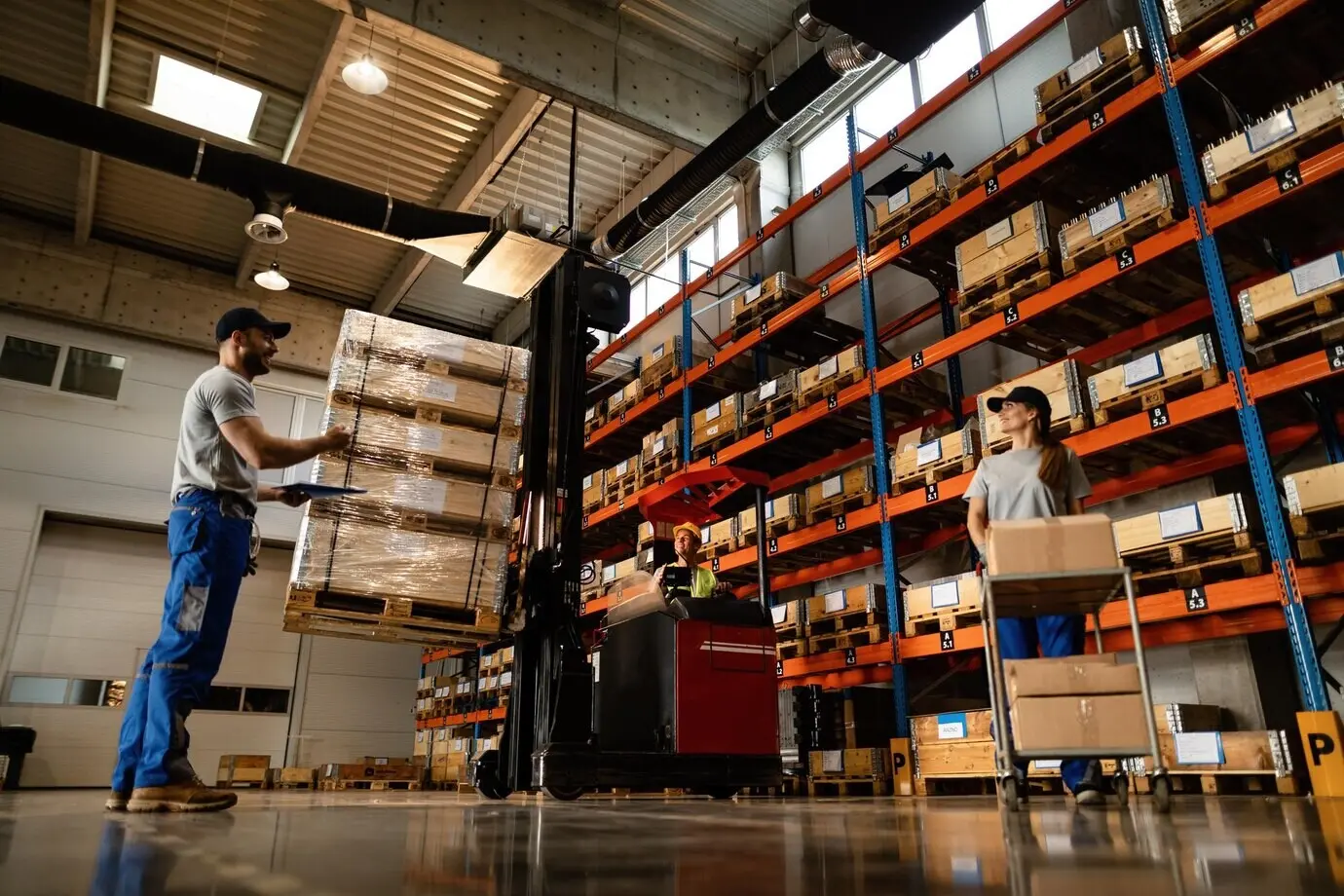
Build dashboards that are easy to adjust under pressure. Favor clear naming, modular pages, and reusable components over one-off hero widgets. Document every formula inline with friendly notes. Include visual states for missing data and degraded sources. When designs anticipate real-world change, non-technical maintainers adapt fast, reduce downtime, and keep operations confident during promotions, carrier shifts, or seasonal surges.

Training That Sticks: Microlearning, Shadowing, and Job Aids

Adults learn best in context. Use micro-courses under ten minutes, live shadowing during real tasks, and durable job aids that survive coffee spills and busy docks. Reinforce with spaced practice and quick feedback. Celebrate small wins visibly. When training fits the pace of operations, non-technical colleagues grow skills naturally and keep dashboards accurate without scheduling burdensome all-day workshops.

Roles, Permissions, and Guardrails

Set up three simple roles: Viewer, Maintainer, and Steward. Viewers consume, Maintainers adjust content, Stewards oversee higher-risk changes and standards. Guardrails limit edits to approved datasets and blocks. A clear separation reduces accidental damage while preserving autonomy, ensuring everyday improvements happen fast without compromising data integrity or security obligations demanded by partners and auditors.

Approval Flows and Rollbacks

When a change touches core formulas or critical alerts, route it through a lightweight approval flow. Use side-by-side previews and auto-generated impact notes. Always provide one-click rollback linked to the last known good version. These practices encourage bold yet responsible updates, reducing downtime and anxiety when operating during peak volumes or unexpected carrier disruptions.

Incident Playbooks and Escalation Paths

Prepare a concise playbook covering stale data, red connectors, missing tiles, and broken filters. Include first checks, quick fixes, and clear escalation paths with response-time expectations. Practice the playbook in drills. During real incidents, maintainers act calmly, stakeholders stay informed, and dashboards return to health quickly without guessing or waiting nervously for unavailable specialists.

Governance That Enables, Not Hinders

Good governance is about clarity and speed, not gatekeeping. Define roles, permissions, and safe zones for edits. Automate approvals for higher-risk changes. Keep audit trails readable by humans. Provide instant rollbacks when experiments misfire. With measured freedom and visible safety nets, non-technical maintainers move quickly while preserving trust, compliance, and the steady heartbeat of operational reporting.

Sustaining Momentum and Measuring Impact

Keep progress visible and purposeful. Track adoption, confidence, and reliability with lightweight metrics. Host office hours, publish improvement notes, and spotlight maintainers who solve real problems. Gather questions to guide future content. Invite readers to share examples, subscribe for templates, and request live Q&A sessions. Momentum thrives when learning, recognition, and practical tooling evolve together.

Adoption and Confidence KPIs

Measure what matters: percentage of shifts completing daily checks, time-to-fix for common issues, and self-reported confidence after changes. Pair numbers with anecdotes from dispatch or receiving. These signals reveal friction, justify targeted coaching, and celebrate meaningful gains, turning maintenance into a shared, measurable practice rather than a vague background responsibility nobody owns.

Quality and Freshness Metrics

Instrument your dashboards with health indicators: last refresh time, data latency, error rate by connector, and alert accuracy. Display them in a discreet admin panel. When maintainers see objective health signals, they act early, communicate clearly, and avoid overreacting to harmless delays. Quality becomes transparent, teachable, and steadily improves through small, evidence-based adjustments.

Community, Office Hours, and Recognition

Create a friendly space for questions and quick wins: weekly office hours, a searchable tips channel, and lightweight demos. Recognize maintainers who improve clarity or resilience, not just aesthetics. Invite comments below, propose topics, and subscribe for new checklists and stories. A supportive community accelerates learning and keeps dashboards dependable through staff changes and seasonal pressure.

Keravoxekanafota
Privacy Overview

This website uses cookies so that we can provide you with the best user experience possible. Cookie information is stored in your browser and performs functions such as recognising you when you return to our website and helping our team to understand which sections of the website you find most interesting and useful.